Gaming overlay maker
Minecraft Chat Overlay Maker
Write player messages in a Minecraft-style scene with the matching spacing and type treatment. Choose a background image and export the complete scene as a still image.
Make one freeOpens this template in the editor. No account needed to edit. Nothing is posted to the named service.
Updated
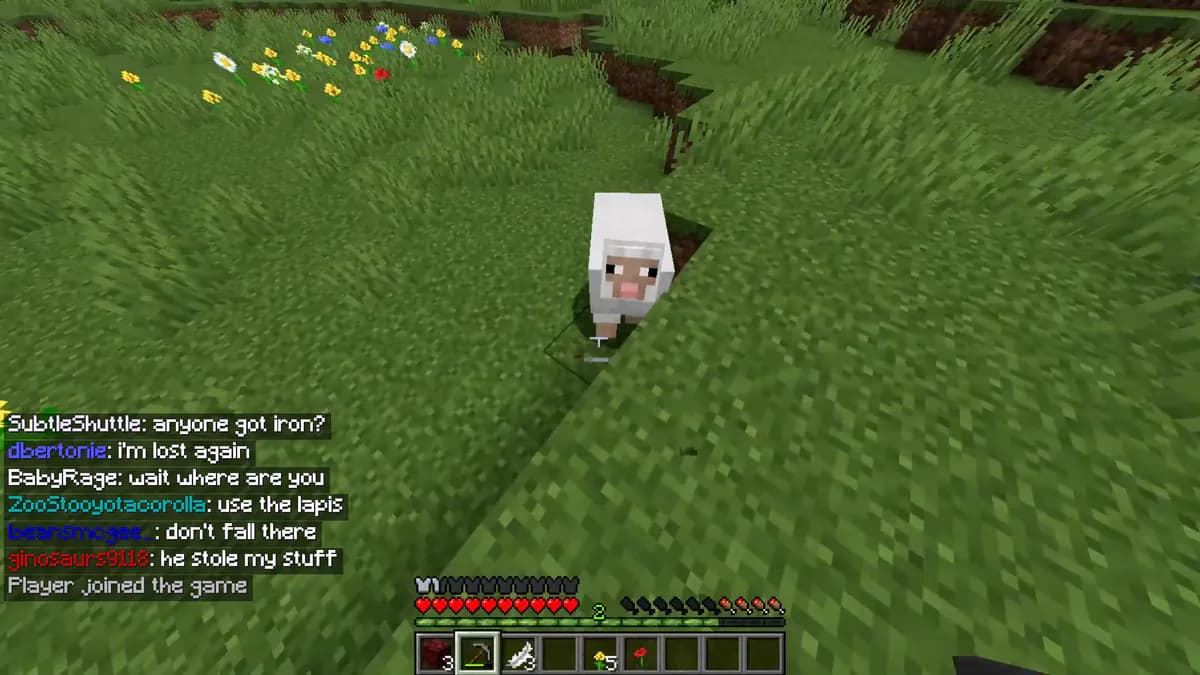
How to make it
- Open the Minecraft Chat template in the web editor or the Mimicly iPhone app.
- Replace the sample names, photos and text with your own.
- Adjust times, counts and appearance until the preview looks right.
- Export a PNG or JPG and place it in your video, slide or storyboard.
What you can edit
- Player names and messages
- Minecraft-style type and spacing
- Custom background image and still-image export
Good for
- Gameplay thumbnails
- Server storyboards
- Creator video planning
On your iPhone
The Mimicly app has the same templates, saves your projects and records supported chats as MP4.
Download on theApp Store
Scan with your iPhone camera to get the app.
Questions
Does this modify Minecraft?
No. It creates a separate visual overlay in Mimicly and does not connect to a game or server.
Can I use my own dialogue?
Yes. Open the template and replace the sample dialogue with your own creative content.
More ways to create with Mimicly
Chat Mockup Maker for Screenshots and Text StoriesAI Chat Mockup Maker: Edit Prompts and RepliesChat Video Maker: Record Text Conversations as MP4Text Story Maker for Texting Story VideosValorant Chat GeneratorRoblox Chat GeneratorTwitch Chat Mockup MakerLeague of Legends Chat GeneratorCS2 Chat GeneratorSteam Chat Mockup MakerAll toolsMimicly for iPhone
Open the template and replace the sample content.
Edit this mockup