Stripe-style payments
Stripe Payments List Mockup
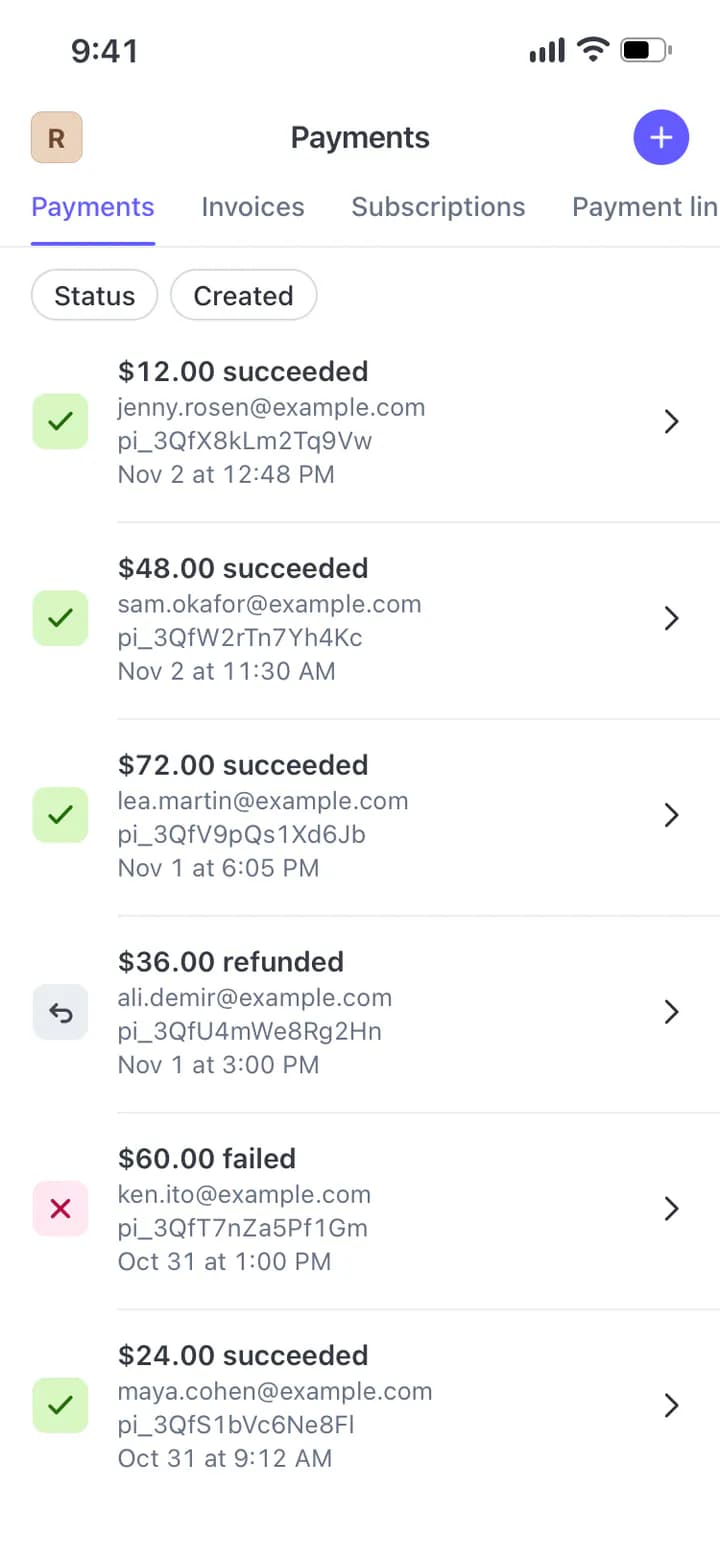
Write one payment per line and the list draws it the way the app does: a green check for succeeded, red for failed, grey for refunded. Pick the open tab.
Updated
How to make it
- Open the Stripe Payments template in the web editor or the Mimicly iPhone app.
- Replace the sample names, photos and text with your own.
- Adjust times, counts and appearance until the preview looks right.
- Export a PNG or JPG and place it in your video, slide or storyboard.
What you can edit
- One line per payment: amount, status, email, id, date
- Status icons coloured by the status words
- Payments, Invoices, Subscriptions and Payment links tabs
Good for
- Examples in docs about payment flows
- Design references for a payments feed
- Scenes in a story about a first sale
On your iPhone
The Mimicly app has the same templates, saves your projects and records supported chats as MP4.
Scan with your iPhone camera to get the app.
Questions
Which statuses can I use?
Any words. succeeded, failed, refunded and uncaptured get their own icon colour; anything else is grey.
Can I post these numbers as my real revenue?
Please do not. Every number here is typed by you, so present it as a mockup, an example or a design reference, never as proof of real income.
Can I turn it into a video?
This template exports still images (PNG or JPG). Add the image to your video editor as an overlay. MP4 recording is available on supported messaging and AI conversation templates.
Is this template free?
It is a Pro template. You can open and edit it without paying or signing in, and exporting needs a free account. A free account exports free templates without the watermark; Pro templates need Pro for that. Without Pro, this one exports with a small “Made with Mimicly” watermark. Pro (a weekly, monthly or yearly plan, or a one-time lifetime purchase) removes the watermark from every template and adds higher resolution and share links.
Is Mimicly connected to Stripe?
No. Mimicly is an independent editor. It does not sign in to Stripe, send messages or read your account. Everything in the scene is written by you; use it for fictional scenes, examples and storyboards.
More ways to create with Mimicly
Open the template and replace the sample content.
Edit this mockup